Dark Text, Shiny Silver Text Effect: A Comprehensive Evaluation
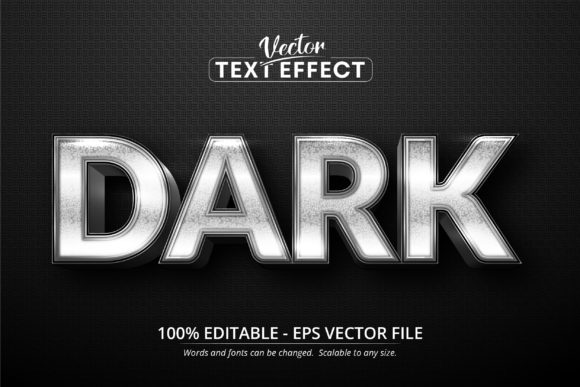
In the landscape of graphic design, achieving a specific visual aesthetic often requires more than just selecting a typeface. Designers frequently seek to manipulate light, texture, and depth to create imagery that stands out in digital and print media. One such solution gaining attention for its metallic finish is the Dark Text, Shiny Silver Text Effect. It is important to clarify immediately that this is not a traditional font file that can be typed into any word processor or opened in standard text editors. Instead, it is a specialized font effect designed specifically for Adobe Illustrator.
This resource functions as a template within the Adobe ecosystem, allowing users to apply a pre-configured shiny silver appearance to dark text backgrounds. For professionals evaluating design assets, understanding the distinction between a standard font and a complex vector effect is crucial before making a purchase or download decision. The following analysis explores the functionality, benefits, limitations, and ideal use cases for this editable text effect.
Understanding the Technical Nature of the Asset
The primary characteristic of the Dark Text, Shiny Silver Text Effect is its format. It is distributed as an EPS (Encapsulated PostScript) file compatible with CS6 versions of Adobe Illustrator. This specification dictates exactly where the asset can be used. Unlike OpenType or TrueType fonts which are system-wide and openable in Photoshop, Microsoft Word, or web browsers, this file is proprietary to the vector graphics environment of Illustrator.
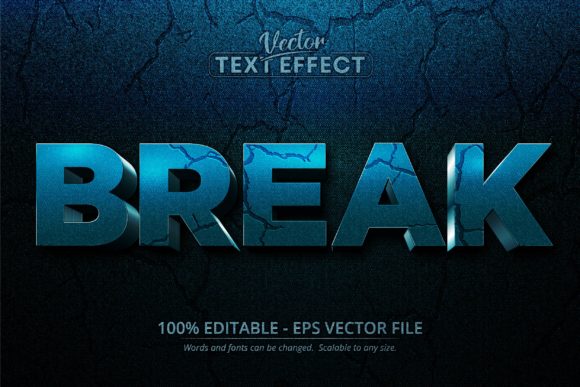
The "effect" itself is a combination of gradients, blend modes, and layer styles that simulate the reflection of light on a polished metal surface. When applied to text, it transforms flat characters into three-dimensional objects with high-contrast highlights and deep shadows. The core value proposition lies in its editability. The description notes that the file contains 100 editable instances. This means that while the visual style is pre-baked, the user retains full control over the content. Designers can replace the placeholder text with their own copy, adjust the kerning, change the character count, and modify the size without losing the silver sheen.
Key Benefits for Professional Workflows
For designers working under tight deadlines, the efficiency offered by this tool is significant. Creating a realistic metallic text effect from scratch involves multiple steps: creating outlines, applying gradient meshes, adjusting opacity masks, and fine-tuning blending modes. This process can be time-consuming and technically demanding, particularly for those less experienced with advanced Illustrator features.
- Time Efficiency: By utilizing a pre-made effect, designers bypass the technical setup required to achieve a silver look. This allows them to focus on layout and composition rather than technical rendering.
- Scalability: Because the asset is vector-based (EPS), it maintains crisp edges at any resolution. Whether the text is scaled down for a business card or enlarged for a billboard, the silver texture remains sharp and does not pixelate.
- Consistency: Using a standardized effect ensures that the metallic finish remains consistent across different projects. This is vital for brand identity work where lighting and texture must match across various marketing materials.
- Editability: The ability to edit the text directly within the file means that client revisions do not require re-rendering the entire effect. The underlying structure supports dynamic changes to the string of characters.
Tradeoffs and Technical Considerations
While the advantages are clear, there are distinct tradeoffs that potential users must consider. The most significant limitation is software compatibility. As noted in the specifications, this is not a universal font. Attempting to open this file in software other than Adobe Illustrator will likely result in errors or a loss of the intended visual effect. Users may only see flat black text or no text at all if they try to import it into a raster editor like Photoshop or a document writer.
Furthermore, the complexity of the effect can sometimes make editing difficult for novices. While the text is editable, the underlying layers responsible for the shine might be grouped or locked in ways that require a solid understanding of the Layers panel to navigate effectively. If a designer needs to alter the color palette significantly—for example, changing the silver to gold—they may need to understand how to swap gradient stops without breaking the overall structure of the effect.
There is also the consideration of file weight. Complex vector effects with numerous gradient meshes can increase the file size of the final project. In workflows involving heavy collaboration or large-scale production files, this added complexity could potentially impact performance on older hardware.
Ideal Use Cases and Application Scenarios
Given these characteristics, the Dark Text, Shiny Silver Text Effect finds its strongest fit in specific professional scenarios. It is particularly well-suited for branding and logo design where a premium, luxurious feel is desired. The contrast between the dark background and the reflective silver creates a sense of sophistication often associated with high-end products, automotive industries, or technology sectors.
Print media is another area where this asset excels. Because the output is vector-based, it is perfect for large-format printing such as banners, signage, and packaging. The scalability ensures that the silver effect looks pristine when printed at high DPI (dots per inch). Additionally, for designers who need to produce a batch of similar assets quickly—such as award certificates, event posters, or promotional flyers—the ability to edit 100 instances rapidly makes this a highly practical tool.
When to Consider Alternatives
However, this asset is not a universal solution. If the target audience includes clients who do not use Adobe Illustrator, this file format will be unusable for them. In collaborative environments where team members rely on free or open-source vector tools like Inkscape, a native SVG or AI file with simpler effects might be a better choice.
Additionally, if the project requires the text to be animated for video or web use, this static vector effect may not be sufficient. Web developers typically require CSS-based styling or image exports to handle text effects dynamically. In such cases, exporting the effect as a high-resolution PNG or using a dedicated web font with CSS filters would be more appropriate than relying on an Illustrator-specific EPS file.
Finally, for beginners who are still learning the fundamentals of typography and vector manipulation, relying solely on pre-made effects can hinder skill development. It is often beneficial to study how the effect was constructed to learn the techniques behind the gradients and blends, rather than simply applying the template.
Decision-Making Insights
Ultimately, the decision to utilize the Dark Text, Shiny Silver Text Effect depends on the specific constraints of the project and the tools available to the creator. If the workflow is centered around Adobe Illustrator and the goal is to produce high-quality, scalable print or digital graphics with a metallic aesthetic, this asset offers a robust solution. The ability to edit the text while maintaining a complex visual style provides a strong balance between creative freedom and technical ease.
Conversely, if the project demands cross-platform compatibility, animation, or a more lightweight file structure, alternative methods should be explored. By carefully weighing the software requirements against the desired visual outcome, designers can determine whether this specialized effect aligns with their goals. For those seeking a premium look without the steep learning curve of manual rendering, it represents a valuable addition to a professional toolkit.