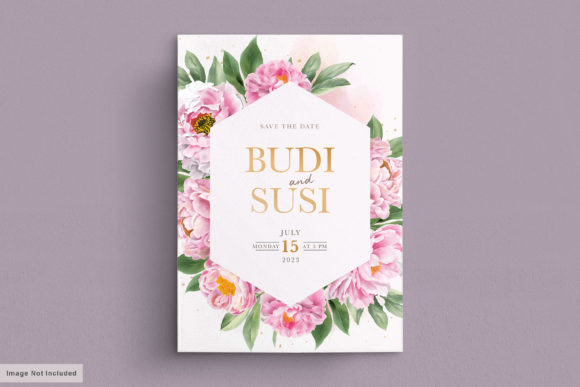
Wedding Card Set with Peonies Floral
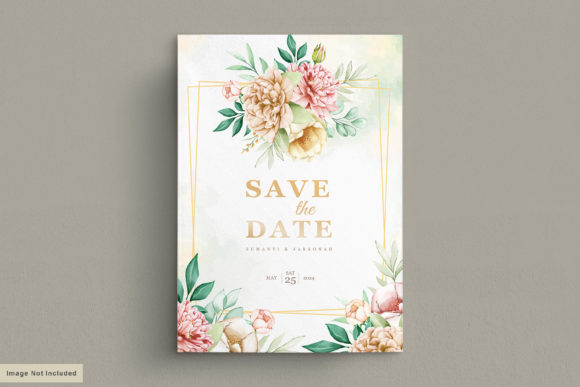
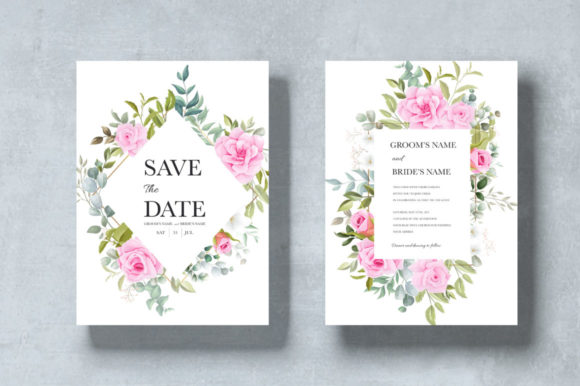
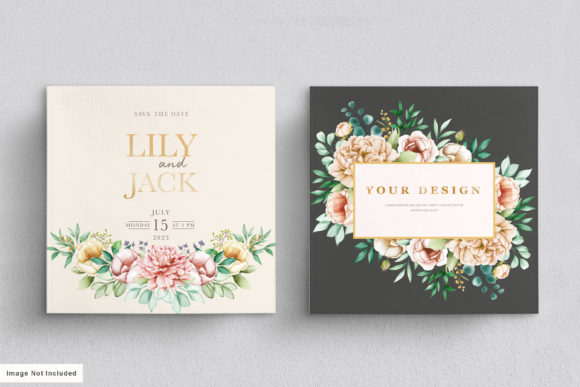
Selecting the right stationery for your big day is a decision that blends artistic vision with practical logistics. The Wedding Card Set with Peonies Floral offers a distinct advantage by combining the timeless elegance of watercolor blooms with the flexibility of a fully editable digital template. Whether you are planning a wedding, a milestone birthday party, or an anniversary celebration, this set provides a foundation that looks professionally designed while remaining entirely within your control to customize.
However, many creators and event planners make the mistake of assuming that a "digital download" means it will work instantly without preparation. To ensure your final print results match the high-quality preview images, you need to understand the specific technical requirements and design nuances associated with this product. Avoiding common pitfalls in file handling and printing preparation can save you significant time, money, and stress.
Understanding the File Format and Software Needs
One of the most frequent errors occurs when buyers purchase the template but do not have the necessary software to open it. This Wedding Card Set with Peonies Floral is delivered primarily as Adobe Illustrator files (AI) and EPS formats. While these are industry standards for professional graphic design, they are not compatible with standard image viewers like Microsoft Paint or basic photo editors on mobile phones. If you attempt to open these files without Adobe Illustrator installed, you will be unable to access the text layers or modify the floral elements.
While JPG files are included in the package, relying solely on them limits your ability to edit the text. A JPG is a flat image; if you try to change the names or date using a generic photo editor, you risk pixelation and a loss of quality. The true value of this set lies in its vector-based nature, allowing you to scale elements without losing clarity. For beginners who do not own Illustrator, the recommended approach is to utilize the free trial version of Adobe Creative Cloud or seek assistance from a local print shop that has the software. Do not settle for low-resolution edits that ruin the crispness of the watercolor peony details.
Typography Choices and Readability
The aesthetic appeal of this invitation relies heavily on the specific fonts included: Libre-Baskerville for body text and Great Vibes for the script headers. These choices create a sophisticated balance between classic serif readability and romantic cursive flair. However, a common oversight is failing to embed or substitute these fonts correctly before sending the file to a printer.
If you open the AI file on a computer that does not have Great Vibes installed, the software may automatically replace it with a default font like Arial or Times New Roman. This substitution completely alters the mood of the invitation, making it look generic rather than bespoke. Furthermore, some online printing services do not support custom font embedding in the way desktop publishing software does. Always double-check that your text layer is displaying the correct typography before exporting your PDF or JPG. If you are unfamiliar with font management, consider creating a PDF proof first to verify that the elegant script remains intact.
Size Matters: The Bleed Area
Physical printing introduces another layer of complexity often overlooked by DIY enthusiasts. The template specifies a size of 5×7 inches for the single-sided invitation, which is a standard dimension for formal events. However, simply setting your canvas to 5×7 inches is not enough if you plan to cut the cards yourself or use a home printer. You must account for the bleed area.
A bleed is the extra space around the edge of the design that gets trimmed off during the cutting process. Without a proper bleed, your white cardstock might peek out past the printed ink, ruining the clean look of the watercolor peonies. When editing, ensure you extend the background colors and floral elements slightly beyond the 5×7 inch trim line. If you are unsure how to calculate the bleed, check the specific settings of your chosen printing service. Most professional printers require a 0.125-inch bleed on all sides. Ignoring this detail can result in uneven borders that look unprofessional and detract from the overall presentation.
Color Accuracy and Printing Expectations
Watercolor designs are inherently soft and fluid, but screen colors rarely translate perfectly to physical paper. A common disappointment arises when the vibrant pinks and greens seen on your monitor appear dull or muddy on the printed card. This is due to the difference between RGB (screen) and CMYK (print) color modes. Digital displays emit light, while printed ink absorbs it.
To avoid this issue, convert your final design to CMYK mode before sending it to the printer. While this conversion might cause a slight shift in saturation, it ensures that the colors you see on paper are as close as possible to what you intended. Additionally, the type of paper you choose plays a massive role in the final outcome. Glossy paper can sometimes wash out the delicate texture of the watercolor effect, whereas matte or textured cardstock often enhances the organic feel of the peonies. Test a single copy on different paper stocks if possible to determine which finish best suits the Wedding Card Set with Peonies Floral.
Evaluating Your Needs Before Downloading
Before you finalize your purchase, take a moment to evaluate whether this template aligns with your skill level and project timeline. The description highlights that the set is "very easy to edit," but ease is relative to your experience with graphic design software. If you are a complete novice with no prior exposure to Adobe Illustrator, you may find the learning curve steeper than expected. In such cases, it is wise to watch a tutorial specifically on editing vector templates before attempting to customize your invitations.
Furthermore, consider the quantity of invites needed. Since this is a digital file, you have unlimited printing rights, but managing large batches requires organization. Ensure you have a system for saving multiple versions of your file (e.g., "Name_Invite_v1.pdf") so you can track changes easily. This prevents the frustration of trying to remember which version contains the correct address list.
Final Thoughts on Execution
The success of your event stationery depends on attention to detail. By understanding the software requirements, respecting the bleed margins, and verifying color accuracy, you can transform a simple digital download into a stunning physical keepsake. The Wedding Card Set with Peonies Floral is a versatile tool that empowers you to create personalized invitations for weddings, birthdays, and other special occasions. With careful preparation and the right approach to editing, you can avoid costly mistakes and produce a result that truly reflects the beauty and importance of your celebration.
If you encounter any specific issues regarding the font installation or file opening, reaching out to the seller or consulting community forums can provide quick solutions. Remember, the goal is to enjoy the creative process and celebrate your special day without unnecessary stress over technical glitches.