Cute Star Company Logo Template: A Smart Choice for Your Brand Identity
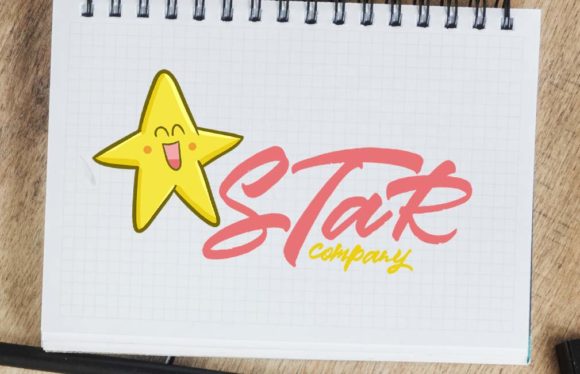
Creating a memorable brand identity often feels like walking a tightrope between professional polish and unique charm. For many entrepreneurs, freelancers, and small business owners, the Cute Star Company Logo Template offers a delightful solution that bridges this gap perfectly. Whether you are launching a kawaii-themed shop, a creative blog, or a boutique service, having a high-quality vector asset can save you time and budget while ensuring your visual communication remains crisp.
This specific design template is designed for versatility. It features a charming star motif that fits seamlessly into various contexts, from digital marketing materials to physical merchandise. However, before you download and apply this asset, it is crucial to understand exactly what you are getting and how to use it correctly to avoid common pitfalls that could compromise your brand's professionalism.
Understanding What You Receive
When you acquire the Cute Star Company Logo Template, you are purchasing a versatile toolkit rather than just a static image. The package includes two distinct formats, each serving a specific purpose in your workflow. First, you receive a vector logo in EPS format. This file is housed within a 7 x 7 inch square size, providing ample space for layout adjustments without losing clarity.
The second component is a flat, high-resolution PNG file. While the vector version allows for infinite scalability, the PNG is perfect for immediate web use, social media profiles, or quick previews where editing capabilities are not required. This dual-format approach ensures that whether you are sending files to a printer or uploading them to an e-commerce platform, you have the right tool for the job.
Why Vector Formats Matter for Growth
One of the most significant advantages of choosing a template with an EPS vector file is the ability to resize without reducing image quality. Many beginners make the mistake of starting with low-resolution images or relying solely on raster graphics (like JPEGs) for their primary logo. When these images are blown up for large banners, billboards, or embroidered apparel, they become pixelated and blurry, which instantly damages credibility.
By utilizing the included EPS file, you can open it in any vector software such as Adobe Illustrator. This allows you to scale the cute star design from a tiny favicon on a website header to a massive sign on a storefront wall. The mathematical curves of the vector data ensure that every line remains sharp and smooth, regardless of the output size. This flexibility is essential for businesses planning to expand their product lines or marketing reach.
Common Pitfalls in Logo Customization
While the visual appeal of the template is undeniable, there are specific details that users often overlook. These oversights can lead to frustration or suboptimal results if not addressed early. Understanding these nuances will help you integrate the logo into your brand strategy more effectively.
- Misunderstanding Font Inclusion: A frequent source of confusion is the assumption that all fonts used in a preview are included in the download. Please note that the font featured in the "Cute Star" illustration style is not part of the package. The creator recommends a specific typeface feel to match the illustration, but you are free to choose any other font that looks similar or completely different based on your preferences. If you attempt to edit the text using a font you do not own, the text may revert to a default system font, ruining the aesthetic balance.
- Neglecting Color Separation: Kawaii designs often rely on soft pastels or vibrant contrasts. When preparing the logo for print, failing to convert colors to CMYK or ensuring proper color separation can result in dull or unexpected hues on physical items like stickers, mugs, or packaging. Always check your color profile settings before finalizing production files.
- Ignoring Contextual Placement: A logo that looks great on a white background might lose its impact when placed on a busy pattern or a dark surface. Because this template is designed for multiple purposes, it is vital to test the logo against various backgrounds. Ensure that the contrast remains sufficient so the cute star remains recognizable even when scaled down or placed on complex textures.
The Impact of Poor Choices on Brand Perception
Using a logo incorrectly can have tangible negative effects on your business. If you resize a raster image instead of using the vector file, the resulting blur signals a lack of attention to detail. Similarly, using a mismatched font that clashes with the playful nature of the star illustration can create a disjointed brand voice. These small errors can confuse your audience and dilute the emotional connection you are trying to build through your branding.
For instance, a food blogger who uses a pixelated version of their logo on their recipe cards may inadvertently suggest that their recipes are equally unrefined. Conversely, a seamless integration of the vector file and a well-chosen complementary font projects competence and care. The goal is to ensure that the "cute" aspect of the design enhances trust rather than undermining it.
Practical Steps for Successful Implementation
To get the most out of your purchase, follow a structured approach to customization and application. Start by opening the EPS file in your preferred vector software. Take the time to explore the layers; this will allow you to isolate the star icon from the text if you wish to use them separately.
If you decide to change the text, select a font that mimics the rounded, friendly vibe of the original recommendation. Look for sans-serif typefaces with soft edges. Avoid overly formal or aggressive serif fonts, as they can create a jarring contrast with the kawaii style. Remember, the font is your responsibility, so ensure you have a license for any commercial typeface you choose to use.
Before committing to a full rebrand or mass production, create mockups. Place the logo on a virtual business card, a website header, and a product label. This step helps you visualize how the 7 x 7 inch square translates to real-world dimensions. It also allows you to catch any alignment issues or color discrepancies before spending money on printing services.
Evaluating Versatility for Your Needs
Not all logos are created equal regarding adaptability. The strength of this particular template lies in its potential for multi-purpose use. Whether you are a hobbyist creating handmade goods, a marketer designing campaign assets, or an educator creating learning materials, the clean lines of the vector art allow for easy adaptation.
Check your intended use cases carefully. If you need a monochrome version for black-and-white faxes or embroidery, the vector file makes this process simple. If you require a transparent background for overlaying on photos, the high-res PNG is your best friend. By leveraging both formats correctly, you maximize the value of your investment and ensure consistency across all channels.
In conclusion, the Cute Star Company Logo Template is a robust resource for anyone looking to add a touch of whimsy and professionalism to their brand. By respecting the technical requirements of vector files, making informed decisions about typography, and testing your designs in realistic scenarios, you can avoid common mistakes and launch a cohesive, appealing brand identity. Take the time to customize thoughtfully, and let your cute star shine brightly across all your business endeavors.